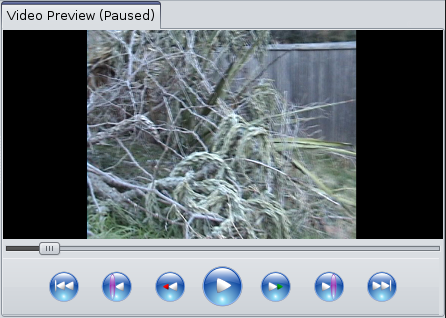
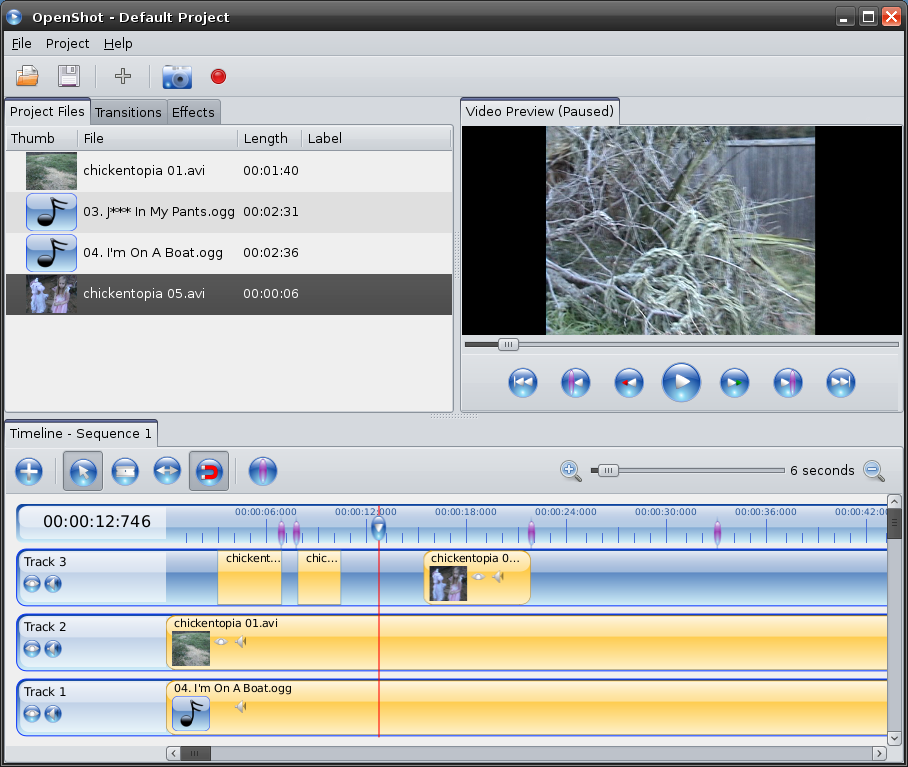
I have finally finished the video controls (i.e. skip to beginning, previous marker, rewind, play / pause, fast-forward, next marker, and skip to end). I created a new set of icons, and integrated them into the MLT framework. I also hooked up the play-head, so it actually seeks the video as the user drags it back and forth. It's starting to feel like a real video editor!
Also, I added the ability to add markers to the timeline, which let's the user mark points of interest in their video project. Using the new video controls, the user can quickly jump between each marker (represented by the glassy purple lines).
As usual, we are making lots of progress, but still have lots of work remaining. Please help us out by mentioning our project on your blogs, forums, websites, and any other public outlet you have access to. Thanks!


May 20, 2009 6:59 AM
This project looks very promising! I hope it get's futher than all the rest of the "fast-start-then-stalled" video editors for linux.
I noticed that you don't have buttons for framestepping in this screenshot. But it will be possible to step?, right?
Looking forward to try out the first beta!
May 20, 2009 12:44 PM
Great question. I haven't implemented any frame stepping yet, but it should be easy to add. In an effort not to add more buttons to the video controls, I am thinking about using the arrow keys on the keyboard for frame stepping. Any thoughts on that?
May 28, 2009 6:46 AM
Love the software and the simple code (very nice commenting etc). I agree with you about the arrow keys, on Avid and FCP left and right move the clip forward or backward 1 frame and the up and down keys move between cuts. Implementing this will be brilliant as well as if you could use the same play forward backward buttons that Avid and FCP use (J pressed once, plays backward 1x speed. L pressed once, plays forward 1x speed. K works as the stop button and play back at a slower rate when used in combination with the J or L keys.) The other thing I noticed is that when you press seek forward button more than once it goes 1x 2x 3x, when it should go 1x 2x 4x 8x like the pro edit systems. This would be a more useful feature.
Most importantly thank you for the great work and time you are putting in to this project. With out people like you we wouldn't have linux and free software so once again thank you.
Dan Broughton (Editor Tinopolis)
May 28, 2009 1:54 PM
Dan, thanks for the comment and nice words! It should be easy to map the j,k, and l keys, as well as the arrow keys. Also, it should be easy to fix the seek algorithm to use 1x, 2x, 4x, 8x...
I have a few other bugs surrounding the video controls and the timeline zooming I need to address first, and then I'll jump on these feature requests and see if I can knock them out real quick.
Thanks again for the feedback!