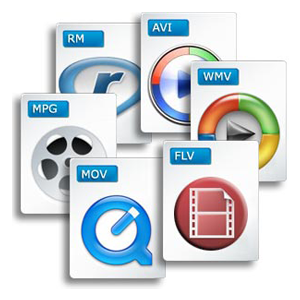
One of the most popular feature requests we get is for OpenShot to provide a simple list of video export options. Well, we would love to add this feature, but first we need your help!
We want to compile a comprehensive list of these formats, codecs, fps, aspect ratio, interlaced vs progressive, size, and bit rates for a variety of common uses, such as DVD, Blu-ray, YouTube, Vimeo, iPhone, Xbox 360, PS3, PSP, and any other common video use.
We are going to make it very easy for you to contribute to this list. It's as simple as putting a ball in a cup! (family guy joke). Seriously though, it's as simple as updating our Wikipedia page (thanks to Helen for giving us a jump start). If updating a Wiki scares you, you can also add your format to this open question (in LaunchPad).
I know that not everyone can contribute to the actual programming of OpenShot, but here is a great opportunity to jump into our project, and really contribute to the end product! We hope you will help us out.
,


August 31, 2009 5:32 AM
Have a look to the WinFF project. They have a lot of nice presets (some are missing, such as 3gp I think... but it's a good start).
August 31, 2009 10:27 AM
@Lazza
Thanks for the comment! I will take a look at the presets in WinFF. It also uses FFmpeg, so in theory, their list should be very compatible with OpenShot.
August 31, 2009 1:27 PM
Well you forgot an essential format in your list (and image) in your post:
OGG Theora open source video format ;-)
I would think it is essential to add it in the first place...
I would suggest to add export video format for Wikipedia, Dailymotion, Blip.tv as well... HD and non HD content...
Also would it be possible to export video in RAW format (non compressé)... I guess it is the format .dv but I am not quite sure... of course such video would take a lot of disk space but with the space beeing more and more availble with Terabit disks it could make sense...
August 31, 2009 2:24 PM
Haha, thanks for pointing that out. I've updated the image to include OGG Theora! We will also have OGG Theora in our list of exports as well.
I like the idea of having Wikipedia, Dailymotion, and Blip.tv. It would be great if you could go dig up the exact video requirements for those sites and post them to our LaunchPad question or to the Wikipedia page. =) Thanks!
August 31, 2009 3:30 PM
Great effort! I feel very identificated with your story. I was missing a video editor in linux long time ago and I have tried with kino and cinelerra but I was no happy. Now I think your project is a good promise.
August 31, 2009 3:31 PM
Please, include step play, frame by frame, and a way to cut video in the exact frame with a button
August 31, 2009 6:17 PM
Hello Anonymous,
Frame steping and exact cutting are provided in OpenShot. You can frame step using the arrow keys on your keyboard. Having stepped to the correct frame, you set a marker on it. I find it helps if you zoom in to the maximum zoom range, and then you can see easily where to get the razor tool to snap to the marked frame and cut.
@ first Anonymous
I haven't forgotten OGG Theora. I have been steadily working my way through all the categories of video formats. This has meant an enormous amount of research to obtain the best optimisations for many purposes. Why don't you add the OGG Theora settings to the project? I am currently studying all the Apple documentation on their many formats, and noting down all the problems which can arise with different implementations. iPhone for instance is slightly different from iPod, in that iPhone cannot render anamorphic videos whilst iPod can. I need all the full facts for the Gnome Help Manual I am compiling.
The more people who contribute the quicker I can finish off that section of the manual.
Best wishes, Helen
August 31, 2009 6:17 PM
Please be brave and add video formats to our list. :-)
August 31, 2009 8:39 PM
All of the formats from winff are in the Woo-ff thread on murga-linux.com/puppy or just look for presets.xml in winff - Woo-ff is just a bash script for converting video with a gtkdialog frontend and ffmpeg backend in very early development
August 31, 2009 9:52 PM
Hello Thomas. I have to say that OpenShot is great. I'm from Brazil and posted the first impressions of it at my blog. How can we help with a portuguese-brazilian translation? Regards...
August 31, 2009 10:34 PM
@Paulo
Thanks for the comment! Funny you should mention Portuguese translations... I just added it to our download page about 10 minutes ago. =) Please give it a try and let me know how it works.
For more information on our translations (and to participate), visit https://translations.launchpad.net/openshot. Thanks!
September 1, 2009 6:09 AM
i am adding couple of profiles that i know of. Thanks for this great app
September 1, 2009 6:19 AM
HandBrake uses libavcodec and libavformat and has information about its presets on this page.
Includes iPod, iPod Touch, iPhone, AppleTV, PSP, PS3, Xbox 360.
September 1, 2009 11:03 PM
@Johnathan,
Congratulations! OpenShot is a revolutionary program. Now we can talk about video editing in Linux.
September 3, 2009 5:23 AM
Great project!
I talk about it on my french blog
Idea: it would be good to make categories for codecs and formats, like dvd(mpeg2,vob) - rip(xvid,avi) - hd(x264,mkv).
How could I help to do this please?
September 3, 2009 9:24 AM
Hello RenZo
I am currently building some tables of categories. The definitive tables are in the Help Manual I am compiling.
The most useful help with this at the moment would be researching formats and codecs for different categories, and then entering the optimum settings on the rough table I put on our Wikipedia page:
http://en.wikipedia.org/wiki/OpenShot#Video_Formats_.26_Codecs_Supported
I have been researching Apple formats, Mobile Phones, and Video Hosting Sites. I am researching data from the companies concerened so that I get reliable data. This takes a lot of searching through any company's site to find the information, which can be in formats that make searching on Google difficult.
Categories which need researching include; All the Games machines like Playstations etc including all the various pocket gaming devices, all the video hosting sites I have missed ( I only covered Vimeo, Picassa, and Youtube) we need details from sites like ISPs and Amazon EC2 and all the cloud sites.
If you enter the details on the table on the Wikipedia page, I can then enter these into the master categorised tables in the Help Manual. These master tables are then being used by Andy to develop the Export Presets he is working on.
Best wishes, Helen
September 3, 2009 9:29 AM
Helen, if I download a video from a video site, then what kind of data do you need to know and which tools can I use to get them?
September 3, 2009 10:11 AM
Hello Lazza,
The videos you mdownload from any hosting site are in a prcessed and compressed form very different from the videos you upload to that site.
The videos uploaded to that site should be in formats and codecs and bitrates etc which will give the best optimisation when processed by the standardising software used by that particular hosting site.
The tables I am compiling at present cover the export options for rendering your edited videos.
To be sure of the project profile needed when editing, look at the file properties on the clip you import. This will show you the frame size and aspect ratio.
Helen
September 3, 2009 10:20 AM
Of course they are compressed, but isn't this our goal? I mean, if we export a "Youtube format" video, then it will be already ok and won't require further compression by the site. Is it right?
September 3, 2009 11:20 AM
Hello Lazza,
You will gain no advantage by trying to compress and format your videos in the way in which they are presented on the hosting site. You can though have disadvantages from trying to do that.
Every video uploaded will be processed by the site's own standardisation software, regardless of how you format it initially.
The processing software is opimised to process their own recommended formats and encodings. The recommended settings are to give the least degradation during that re-processing on the site. If you upoad as you suggest with a video already compressed that far, and with the bitrates set at the expected final bitrates, you can at best have no change and at worst (and quite likely) you can have a further degradation fromn the extra processing of low quality videos.
Also they hosting sites can and do change the download encodings, which can only mean you lose out on quality if you don't stick to their recommended settings.
Also you would lose the advantage with many hosting sites of paying for their enhanced service at a later time and having your prevous uploads changed to the higher quality bitrates etc.
Keep to the recommended settings for video hosting sites.
Helen
September 3, 2009 11:25 AM
Ok now it's clear, you're looking for recommended settings. I will try to add some sites in my spare time.
September 3, 2009 1:11 PM
Hello Helen,
Ok to complete the wiki.
With a friend, i've done a tool to determine the best resolution for a movie ripping. Because bitrate often depends on resolution and aspect ratio.
This tool is Quality Evaluator: website and deb package.
Maybe it could be modified and integrated in OpenShot to get the best custom setting?
September 5, 2009 2:06 PM
hi
this project seems to be dead, because no dev since a lot of times ?
Do you have news ?
thanks
September 5, 2009 2:21 PM
@ Anonymous
This project is very much alive, and progressing very fast.
You cannot expect announcements every day.
The team are working very hard on various aspects of OpenShot, which would be obvious to you if you read this article and all the comments on it.
Helen
September 5, 2009 9:22 PM
@Anonymous
Dead project? Very funny. Please take a look around the blog.
September 8, 2009 6:19 AM
"Dead project? Very funny. Please take a look around the blog."
the blog doesn't develop the software ...
ok ok i write that because we know a lot of nle on linux who live 6 month and no more ...
so ok the soft is not dead but it seems there is less development than before .. may be because we are in summer ...
September 8, 2009 12:53 PM
Anonymous... i think one can say a project is dead when it doesn't see any news or message for about three moths, or more... obviously, is to soon, everyone is excited with this project, we need to have patient and be grateful... "the blog don't develop the software"... yea, but give a feedback on what going on.. and lets us to give some support for this good initiative ;)
September 8, 2009 6:48 PM
Hi, I just wanted to show my support. I too am very excited about this project. And will donate as soon as I can. I record with RecordMyDesktop and the resulting files are .ogv I wanted to know if OpenShot will be able to handle and convert this format? Thank so much for all you all are doing. I wish you all the best.
September 9, 2009 12:37 AM
@Cougar,
Thanks for the comment! Yes, .ogv files will work. In fact, I created my screen-cast of OpenShot with gtkRecordMyDesktop, and edited it with OpenShot. Thanks!
September 10, 2009 4:50 PM
I have mostly used Sony Vegas 6 in Windows XP, but I mostly now use Ubuntu, and occasionally want to do video editing. I have not found a decent video editor in Linux yet, so I still run Sony Vegas in a virtual XP machine. So if you guys can make OpenShot work as well as Sony Vegas, I would love to have it. As for export formats, it should export to MPG2 for DVD creation, as well as FLV, AVI, MP4, DIVX, XVID, and OGG video.
November 14, 2009 2:22 AM
I've added Youtube's FullHD template on wiki.
June 20, 2010 1:23 PM
Hello, I just wanted to show my support. You are doing a very nice job. I work a lot with RecordMyDesktop and I really need support for the .ogv format.
Can I help translating? Do you use LaunchPad?
Thank you a lot.