
20
Oct
OpenShot Does the Tango!
Written by on .
OpenShot Video Editor was built with the idea that it's User Interface could be skinned or themed, but until now we've only had our default theme. That all changes today:
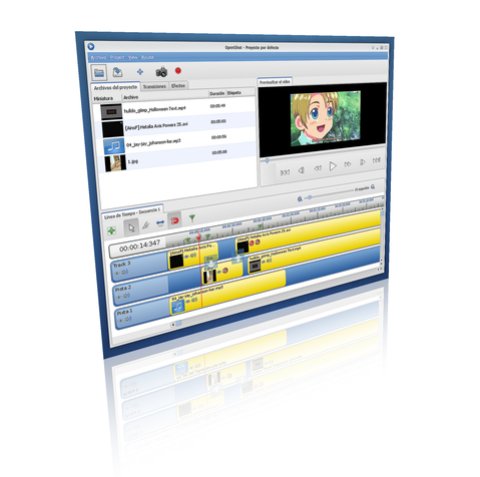
Today we are releasing our 2nd theme for OpenShot (version 0.9.52), in the spirit of the Tango-style. It was contributed by our friend, jEsuSdA 8)! Great job! The 3 screen-shots in this post were taken from jEsuSdA 8)'s website. I know there are some people who were not crazy about our default glassy blue interface, so I hope they enjoy this one.
I expect many more themes in the future, so this is just the beginning. If you are interested in contributing a theme, please locate the /openshot/themes/ folder, and take a look around. It should be fairly straight-forward how things work. =)
I expect many more themes in the future, so this is just the beginning. If you are interested in contributing a theme, please locate the /openshot/themes/ folder, and take a look around. It should be fairly straight-forward how things work. =)
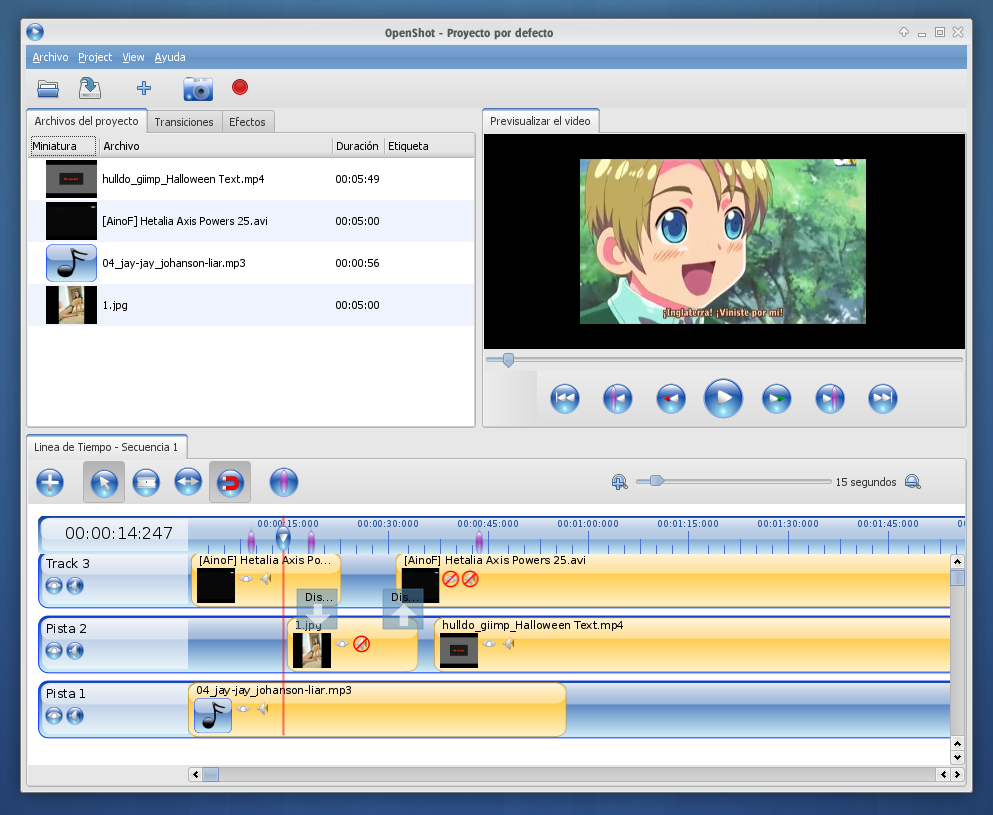
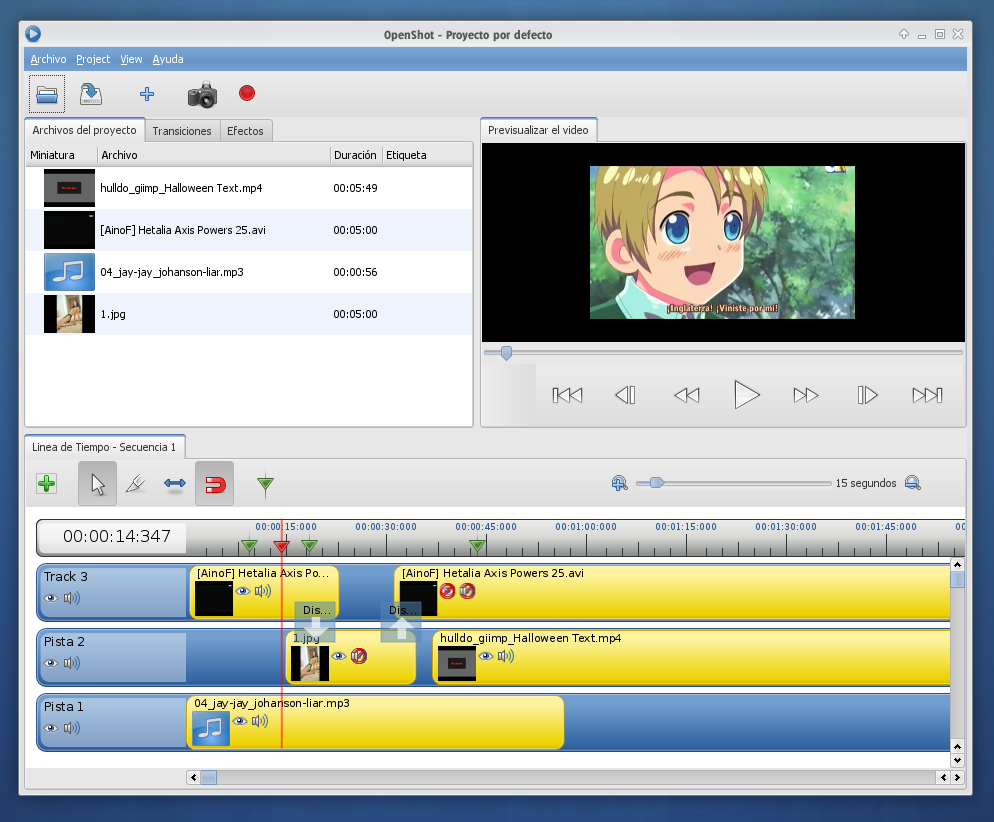
So, I know what you are thinking. "Great... a new theme. But how do I switch my theme to this new one. Since it's Linux-based, I bet I have to type some commands in the terminal, right?" Not at all.
Step 1) Get the newest version of OpenShot (version 0.9.52)
Step 2) Click Edit / Preferences
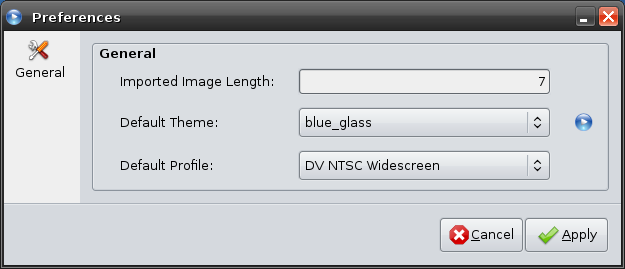
Step 1) Get the newest version of OpenShot (version 0.9.52)
Step 2) Click Edit / Preferences
Step 3) Choose a Theme
Step 4) Click Apply
Oh yeah, did I mention we now have a preferences window? Well, thanks to Andy we now have a very functional preferences screen. Take a look at the first few options we added. They are all highly requested features, so we hope everyone enjoys them!
One final note to everyone. We've updated the 7 most downloaded language packs, and now they are included in our default DEB installer. In no particular order, they are Spanish, Dutch, French, German, Portuguese, Swedish, and Italian. However, if you want to add your own language, just download the .MO file for your language from LaunchPad, and put it in the /openshot/locale/ folder.
UPDATE: To get version 0.9.52 of OpenShot, you must use the .DEB installers or the Build Wizard. Our PPA is being fixed at the moment, and is not being updated until we can resolve some of the dependency conflicts with VLC.
Step 4) Click Apply
Oh yeah, did I mention we now have a preferences window? Well, thanks to Andy we now have a very functional preferences screen. Take a look at the first few options we added. They are all highly requested features, so we hope everyone enjoys them!
One final note to everyone. We've updated the 7 most downloaded language packs, and now they are included in our default DEB installer. In no particular order, they are Spanish, Dutch, French, German, Portuguese, Swedish, and Italian. However, if you want to add your own language, just download the .MO file for your language from LaunchPad, and put it in the /openshot/locale/ folder.
UPDATE: To get version 0.9.52 of OpenShot, you must use the .DEB installers or the Build Wizard. Our PPA is being fixed at the moment, and is not being updated until we can resolve some of the dependency conflicts with VLC.