
Latest News

Follow the latest news on OpenShot Video Editor!


,

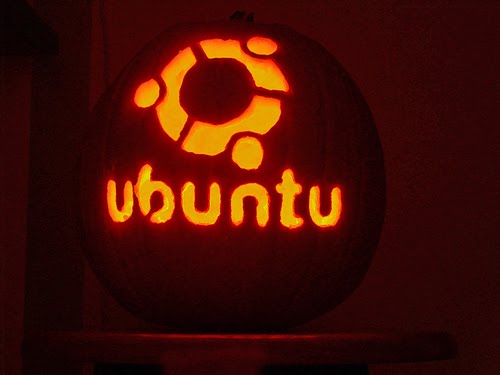
Happy Halloween to Everyone!

[credit: jdudney1]
I have been hard at work on an experimental OpenShot PPA for Ubuntu 9.10 (Karmic Koala). This PPA installs the newest version of OpenShot, Python bindings for MLT, and most importantly... uses all of the default packages in Ubuntu 9.10 (i.e. FFmpeg, libx264, and Frei0r).

It is safe to install and uninstall, and is now friends with VLC, Totem, and all other FFmpeg-based packages! I repeat... it "should not" screw up your FFmpeg version or uninstall VLC. Of course, this assumes you are using the default FFmpeg and VLC. If you have a custom version of these packages, please do not install from this PPA.

I have tested this PPA successfully on both 32 bit and 64 bit versions of Ubuntu 9.10. However, the 32 bit version of Ubuntu 9.10 has presented a few issues with our video output. If your video output is squished into the top of the preview window, has green or pink bars, or any other strange output, please post a comment and let me know. Also, in the 32 bit version, if you have trouble, try disabling desktop effects to see if that helps or not. If you are successful installing OpenShot from this PPA, please post those comments as well. With your input, this should help narrow down the types of issues that need to be addressed.

Here are the details of this PPA (Detailed Instructions):
deb http://ppa.launchpad.net/jonoomph/openshot-edge/ubuntu karmic main
deb-src http://ppa.launchpad.net/jonoomph/openshot-edge/ubuntu karmic main

Signing key: 1024R/EDFBD1F9
It is my goal to have OpenShot perfectly working on both 32 and 64 bit versions of Ubuntu 9.10 before I release version 1.0. So, any help testing this PPA will be greatly appreciated.

It has been a good learning experience to create my own PPA, and I am very impressed with the entire Debian build process. It is very thorough... if not a bit overwhelming and intimidating. But I figure if I understand the packaging better, then I will be in a position to help other distrubtions package OpenShot, and hopefully we can keep a PPA up-to-date at all times. And that is a good thing for the OpenShot community.
Share to Facebook Share to Twitter Share to MySpace Stumble It Share to Reddit Share to Delicious More...

61 comments

  1. Anonymous  

    Hi,
    I've tried your ppa version on Ubuntu 9.10 64bit, but anything I've tried to do made the software freeze/crash (like resizing the window to fullscreen, or importing a png sequence).

  2. Jonathan Thomas  

    Can you try disabling "Desktop Effects" and see if this has any effect on the freezing? Thanks!

  3. d0od  

    Karmic x64 - freezes for me with and without compiz enabled.

  4. Lippol  

    Finally!!!!
    You're a god!! I love your software and i was so sad cause i couldn't use it on my Koala!!
    I wrote about your news on my italian linux blog immediatly (http://wp.me/pAjeX-6q)
    I report you a little bug. It isn't compatible with libmlt used by kdenlive 0.4.6 so i had to disable its repository..
    But your software is better for my personal use!
    Thanks again!

  5. Jonathan Thomas  

    @Lippol,
    Ubuntu 9.10 comes with libmlt 0.4.4, which should work fine with OpenShot. I guess you have installed a newer version of Kdenlive (and thus a newer version of MLT)?

  6. Anonymous  

    Good job man , I like you and your work :)

    I confirm the new REPO works fine with karmic 32 bit [ with and without copmiz ] , so keep going :)

    http://img687.imageshack.us/img687/4795/screenshotag.png

  7. JIMY  

    having a coupla difficulties with karmic 32bit with a realtime kernel. Openshot starts and promptly freezes with compiz and metacity. With gnome-shell it can open fine and sometimes import a clip but freezes on playback. What am I doing wrong? healp ma plees.

  8. Lippol  

    «
    Ubuntu 9.10 comes with libmlt 0.4.4, which should work fine with OpenShot. I guess you have installed a newer version of Kdenlive (and thus a newer version of MLT)?
    »
    Unfortunately the problem is libmlt++2... infact i ran Openshot from menu and it hasn't started. So I tried to run it with terminal and it reported me that libmlt++2 didn't work correctly...
    So i uninstalled Openshot, libmlt (and its dependences), unchecked kdenlive repository, reinstalled openshot with libmlt 0.4.4 (ubuntu 9.10's defaults) and openshot worked correctly!
    Sorry for my bad english... i'm a young italian boy... i'm learning it!! ;-)

  9. Cenwen  

    @ananymous and @dood
    Can you install librsg2-common_2.26.0-1 and try again. Said us if it's good or wrong.
    Pour la communauté française, les documentations françaises d'ubuntu-fr (http://doc.ubuntu-fr.org/openshot_video_editor)de Lprod (http://fr.lprod.org/wiki/doku.php/video:openshotvideo)sont à jour. Vous pouvez suivre le projet OpenShot sur le forum d'Ubuntu (http://forum.ubuntu-fr.org/viewtopic.php?id=329373)

  10. Dyngjohan  

    I have the same problem as @ananymous and @dood

    Tried to disable the desktop effects but with no luck. It still freeze/crash after a few seconds. I also tried to reinstall (had it already) librsvg2-common 2.26.0-1 but still the same issue.

    I use ubuntu 9.10 64bit

    /Johan

  11. Cenwen  

    @Lippol
    Yes thanks to you that you confirm that the problem comes of MLT and not Openshot this time. The MLT 's team is working on to resolved it. And you give a solution for the people that used different version of MLT. So using the official version in karmic and for repport the bugs , please use Launchpad. It's better for us to manage that.Thanks

  12. Anonymous  

    I installed OpenShot this way on my just updated 9.10 (32-bit), and Totem is not working anymore. OpenShot starts but can't play vids. Nautilus dies when I select properties on a video-file to change default player to vlc (which still works).

    Running totem from cmdline prints: "error while rescanning registry , child terminated by signal" (first part is translated into english, second part already was in english)

    I'm not 100% sure it was due to OpenShots, because I earlier got 138MB of updates including the gstreamer-libs. I never tried to play a movie until later when OpenShot was installed.
    Any idea how to reverse this?

  13. Anonymous  

    (update: got video working again)
    First I removed OpenShot, no difference.
    Then I ran "sudo apt-get autoremove", problem solved!

  14. Jonathan Thomas  

    @Anonymous,
    Glad you got it Fixed. As you figured out, OpenShot was not the cause of that problem... thank goodness.

  15. Anonymous  

    It looks like Openshots works on my pc with Ubuntu Karmic 64bits(nothing stops, Totem works fine and so on).

    I tried a file(clip) from my cam(Canon Legria HF S10), but sadly Openshot cant handle it. I will try some files(clips) from a Nikon D90 later(from a friend of mine)and see how it works out.
    Thanks for the work, hope the format my cam use will get supported later :-)

  16. Anonymous  

    I installed in my Ubuntu Karmic but it does not start.
    Édeson

  17. Anonymous  

    I installed in my Ubuntu 9.10 (karmic) through ppa but it does not start.
    Éderson

  18. davide  

    karmic 32 bit - update to october 7 2009 - everything works very fine wih newest PPA.
    Your work rocks!!!

  19. Excedio  

    I love you program, but I am having issues with 9.10 64 bit.

    Like the others it freezes as soon as I Open it.

    However, I do want to saw that it's not hurting my VLC, Totem or my WinFF. Definite Kudos for that. :-)

  20. Anonymous  

    Hi,
    Installed, ran, froze after a few seconds. Retried, froze whole system.
    Rebooted, uninstalled.

    geordie

  21. Jonathan Thomas  

    For those people who have had problems with freezing, give this a try. Install this package (using Synaptic), and see if it fixes the freezing:

    libsdl1.2debian-pulseaudio

    Please let me know if this helps or not. Thanks!

  22. Anonymous  

    I also installed in my Ubuntu 9.10 (karmic) through ppa but it does not start when I try to launch it.

    I tried your earlier version and was very pleased to finally see a nice video editor for Linux. Thanks for your good and hard work!
    -JK

  23. Cenwen  

    And you must install too librsg2-common_2.26.0-1. i have some positifs backend with on the french ubuntu forum, for a normal installation (with libmlt 0.44).
    Olivier

  24. Jimy  

    Jono THIS WAS THE FIX. libsdl1.2debian-pulseaudio, nuff said. Seriously tho after adding this package Openshot from the new ppa on my karmic 32 bit no longer freezes out. I can add effects and transitions and it works. Awesome. Thanks for the fix and the great work.

  25. YAFU  

    @Jonathan, Are you the same person named in the brainstorming document for the Kubuntu Timelord Project? Are you involved in the project?

    By the way, I installed OpenShot from PPA in Kubuntu Karmic 64bit and all seems to work fine.
    Thank you.

  26. Anonymous  

    Was having freezing/audio problems until I installed libsdl1.2debian-pulseaudio. All appears to be better now.

  27. Excedio  

    I have a feeling that the problem lies with the default theme blue_glass. I ran OpenShot through a terminal and got this error:

    Added /usr/share/openshot to system path
    --------------------------------
    OpenShot (version 0.9.52)
    --------------------------------
    /usr/share/openshot/windows/SimpleGladeApp.py:340: GtkWarning: gtk_toolbar_set_icon_size: assertion `icon_size != GTK_ICON_SIZE_INVALID' failed
    return gtk.glade.XML(self.glade_path, root, domain)
    A new frmMain has been created

    When I saw that I decided to run the program again agter a Force Quit. Thn with I loaded up I quickly changed the theme to Tango. The program has not crashed since doing that.

    Hope this helps.

  28. Anonymous  

    I installed OpenShot (Ubuntu 9.10 64 Bit) through ppa but it does not start.

    If i start from command line i get following:

    Added /usr/share/openshot to system path
    --------------------------------
    OpenShot (version 0.9.52)
    --------------------------------
    Traceback (most recent call last):
    File "/usr/bin/openshot", line 50, in module
    main()
    File "/usr/share/openshot/openshot.py", line 40, in main
    lock.check_pid(os.path.join(os.path.expanduser("~"), ".openshot"))
    File "/usr/share/openshot/classes/lock.py", line 69, in check_pid
    pid=int(open(pidPath, 'r').read().strip())
    ValueError: invalid literal for int() with base 10: ''

    What is the problem?

  29. zorancek  

    Hi,

    I to had a problem with freezing OpenShot and than I installed libsdl1.2debian-pulseaudio. Now that problem is gone, but I have another one. I have green screen on preview window and I do not use compiz effects.

    I have Ubuntu 9.10 32 bit version.

    Thanks.

  30. zorancek  

    Hi,

    after installing libsdl1.2debian-pulseaudio Openshot does not freeze anymore, but I have green color in preview window and I do not use compiz effects.

    I have Ubuntu 9.10 32 bit version.

  31. Jonathan Thomas  

    I have updated both packages in my experimental PPA. OpenShot has a few bug fixes, and is now version 0.9.53.

    Also, mlt-python has 2 new dependencies:
    1) librsvg2-common
    2) libsdl1.2debian-pulseaudio

    I'm not sure if the new dependencies will propagate with the Update Manager, but for new installs it should work fine.

    So it seems that the only remaining issue is the green / green & pink output on some Ubuntu 9.10 32 bit systems.

  32. florent  

    YES, Yes , yes!!
    It used to freeze but your last update works just fine (I'm on Ubuntu karmic 32bit).
    VERY Great Work!! I love your sofware!
    It is so user friendly.
    Last time I created videos was a long time ago, on windows, with Adobe Premiere, in the years... I can't even remember when :-)
    I am so happy I can create little videos again.
    Thanks for the job.
    florent/.

  33. logari81  

    I' ve just installed OpenShot on karmic 32bit from your ppa. It seems more stable than the last version I had tried and I had no problems with compiz enabled. A really beautiful application.

    1) I would like to ask you to include in the next version the Greek translation if possible. It would help us to find reviewers for this translation.

    2) I experience crashes with the Scan Lines Effect. I will look in LP if there is already a bug report for this, otherwise I will file a new one.

    3) Please focus on stability, OpenShot is already _very_ rich of features. I strongly believe that the point which will differentiate it from other editors on linux will be its stability.

  34. Anonymous  

    How does OpenShot work with older versions of Ubuntu now? Is it all built to work on 9.10 and 9.04 users have to upgrade?

    Or can I try the latest version on 9.04?

    Thanks,
    Ubuntu Newbie

  35. zorancek  

    Hi,

    today I reinstalled new version of Openshot. I do not have green picture in preview window anymore, but now is the problem that there is not the whole picture in the preview, instead of that it is squeezed in the top of the preview window.

    Thank you very much.

  36. Hohoo  

    Why does the new version have to make me install a package called libsdl1.2debian-pulseaudio when I don't want to have ANYTHING on my system with the word Pulseaudio in it!

  37. Jonathan Thomas  

    @Hohoo
    The libsdl1.2debian-pulseaudio package fixes a playback issue with MLT that would cause some systems to freeze.

  38. JIMY  

    does anyone know if this program benefits from 64 bit architecture in terms of performance?

  39. Rylander  

    Will it work with the unstripped FFmpeg?
    (For anyone working with video the unstripped FFMpeg should be considered default.)

  40. Anonymous  

    Tried it on 32bit Karmic. It runs fine, but when I play a video it gets all squished up into the top of the video preview. Pity. Was really hoping it would work fine.

  41. zorancek  

    I have exactly same error as Anonymous on 40th post.

  42. Anon1  

    You've got a mention on videohelp.com forums

    It's never been so easy for a Windows user to try out the user interface.

  43. Anonymous  

    OpenShot works great on Karmic 64-bit.

  44. Stuart  

    Firstly, congratulations, I have been using kdenLive as it was one of the only complete but easy NLEs to use. I haven't really got into Cinelerra (not easy) yet and the rest just don't seem to offer that much (less complete). But I use Gnome so have been eagerly awaiting an NLE without all the KDE baggage.
    I tried Openshot out, what I thought was not so long ago, but found the ffmpeg problem and some of the elements didn't appear to work (might have been through lack of knowledge though). However, this project seems to have come a long way very quickly, both in the more recent changes and with regard to when it was started.
    I have installed the PPA version on Karmic and everything is working as expected.
    I am finding myself wanting just a little more which I am sure will come in due course. I'm going to assume that you would like these posted along with any bugs so will 'send' them to support as above. Hope this is what you want and that they won't get lost or 'clutter' the support/bug notifications.
    Keep up the good work, we want more of this!

    PS. If you get an itch for a new project, I really miss a Lightroom type DPM for Gnome. digiKam is close but again, it carries the KDE baggage.

  45. Rudiger Wolf  

    The new easier way to add repository:
    sudo add-apt-repository ppa:jonoomph/openshot-edge
    sudo apt-get update
    sudo apt-get install openshot

  46. Anonymous  

    A question about Linux Mint, if I may, please...

    > Helen McCall
    > July 10, 2009 6:37 AM
    > I wouldn't recommend Mint for video editing because you would be too restricted with regard to resources.


    Would you be able to explain that, please? I like the look of LM much more than vanilla (or muddy orange, rather!) Ubuntu.

    Thanks

  47. Gemello  

    Great work! and in such a small time.
    I've noticed that there is now problems in playing mpeg4 and flv videos in totem and similar.
    I'm running 9.10 64bit.
    I really think that we finally have a candidate for linux video editing!

  48. Pablo Daniel Estiga...  

    I had install successful on karmic from this PPA.
    Congratulations man! your team is working really well, this openshot become the unike video editor that I want to use.

    Now some coments:

    I made this video: http://pestigarribia.blip.tv/file/2847267/

    But Export open had some problems, It worked with option for web-youtube sd but didn't work for web-youtuve hd on profile for export.
    Also It didn't work for vimeo profile (all of them).

    I just tried these options, with youtube hd profile openshot just closed without any error message, same for vimeo profiles.

  49. maxmaster1990  

    Hey, I think it's a great initiative with a lot o future!

    I just think that they're lacking some details that are not fundamental at all, but they do their sutff to make the effect of the editor better.

    Remember to include that "snap" effect when two video clips are close to each other. You know. They stick together when you approach them so the change from one clip to another it's perfect.

    And the capability to delete selected clips from the timeline pressing "supr" or "backspace".

    I know it's silly. but you know, hard work makes really great things. The details complete it to the awesome level!

    Again. This is a really cool initiative. I'm waiting for official 1.0!!

  50. Anonymous  

    Legand... "wait for it" ...ery

  51. maxmaster  

    A great feature will be the possibility to edit the clip's volume level with a dot sequences line over the clip in the timeline. Just like Sony Vegas does, equally whit the fades, making them as long as desired, just pulling the indicator over the videoclip in the timeline.

  52. Jimy  

    2 maxmaster
    -you can do that with the fades, use the resize tool brotha

  53. edersongs  

    Don't install the package gstreamer0.10-plugins-bad if you install Openshot or kdenlive. There's a problem between the packages gstreamer0.10-plugins-bad and frei0r-plugins (present in openshot and kdenlive) that makes totem, empathy, brasero, etc, stop working.
    So, to finish this problem we have to uninstall the package gstreamer0.10-plugins-bad (only this). Now openshot, totem, brasero, empathy, etc, work well!

  54. kyle.amadio  

    Hi Jonathan and Andy - I had a bunch of issues with Mplayer - so I removed a custom version of ffmpeg and mplayer and other video stuff then re-installed the distribution versions and re-installed from the PPA and now its all working fine.

    Looking forward to testing the various featuires

  55. Anonymous  

    You've got publicity! (linuxjournal.com)

  56. polkillas  

    Gemello: I had the same issue, but I've discovered that it was caused by using Ubuntu Tweak, which ships a different repository. With the official ppa, I have no problem.

    Great work, indeed.

  57. lippj  

    I get a squished image in the top of the preview window on 32bit Ubuntu 9.10

  58. Dave  

    Thanks Rudiger! I love the new Karmic way to add repositories.

    I'm experiencing a freeze up about 15 seconds into starting OpenShot. I turned off all my desktop effects, but did not restart the system. Maybe I'll try that and see what happens.

    Looks promising though!

  59. zorancek  

    Hi,

    it looks like mlt had been bug fixed. My preview window on Ubuntu 9.10 32 bit system works now just fine.

    Thanks.

  60. Dave_Jones  

    I'm loving this! On karmic Koala - the libsdl1.2debian-pulseaudio fix works sweetly for me too. Thanks so much!

  61. Dhruv  

    Well done bro. It's definitely a HUGE improvement over the others. I'm hoping there's a way to add Fonts / Text on Video. Program working fine with transitions but crashes when I use an effect. But am checking my Gfx card for that.

Post a Comment

Subscribe to: Post Comments (Atom)